Thursday, 18 October 2018

2 Ways to Set iPhone Parental Controls Time 2019


2 Ways to Set iPhone Parental Controls Time

It is important to put measures in place to ensure you can monitor what your kids have access to on their phones, especially how much time they spend on the phone and on the internet. One way to do this is by setting Guided Access on their iPhones, or yours.
1 Use the Guided Access to Set iPhone Parental Controls Time Limit

Guided Access is a feature provided by Apple which allows you to put up screen time limit on your iPhone or your kids’. So your children only get to play games, or surf the net for as long as you determine. When the time limit elapses, the iPhone/iPad automatically locks down. What’s more, Guided Access also enables you to restrict your iDevice, or your child’s to a particular application, e.g. an educational app (for a particular period of time). You can then choose to unlock the device thereafter, to permit the child to use it normally.

Here is how to set iPhone parental controls time limit.
First, Enable Guided Access

Step 1: Go to Settings >> General >> Accessibility >> Guided Access (under LEARNING).


Step 2: Enable the Guided Access slider and select Passcode Settings to set up a passcode. (If your iDevice has Touch ID, the Touch ID option enables you to unlock Guided Access using your fingerprint instead of passcode).


Step 3: Click the Time Limits option to set up time limit sounds. By default, time limit sound is on ‘None’, i.e. no sound is played, so Guided Access time limit just ends silently. However, if you’d like an audible alert when the time limit is up, you have to use the Sound (which allows you to choose one of the alert tones on your device) OR Speak option (which when enabled, speaks the remaining time aloud).Gihosoft Photo Eraser Erase unwanted objects and perfect your amazing photos!

If you lost data after you updated to a new iPhone, you can always use Gihosoft iPhone Data Recovery to get the data back from the old iPhone or backup.

Must Read:Jihosoft iTunes Backup Unlocker

Jihosoft Photo Eraser

Free iTunes/iPhone Backup Extractor for iPhone, iPad

iPhone Backup Extractor - Extract Data from iPhone Backup

You may also like:online youtube downloader
Then, Set Time Limit on App

Step 1: Open an App and press the Home button three straight times to enable Guided Access for the app.

Step 2: Click the Options button at the bottom-left of the screen, then enable the Time Limit option.

Step 3: Set up your preferred time limit, then click Done.

Step 4: Tap Start to put your device on Guided Access and apply your time limit. When this time limit expires, the iDevice locks itself until the passcode you set up earlier is provided.


To leave Guided Access anytime, just press Home button three straight times and enter your passcode.
2 Use an App to Set iPhone Parental Controls Time Limit

Kidslox is an amazing parental control app that helps you manage your family screen time. It helps parents to prioritize family time and also put daily limits on how much time your kids spend on their devices, and what they do on it.


Set up daily time limits on your children’s devices.


Selectively disable corruptive sites/apps.


Timer to set off/on periods in child or Lockdown mode.


Utilize a unique PIN so you smart kids can’t tamper with or change set restrictions.


Block access to the internet.


Guarantee safe browsing experience for your kids by filtering porn and other adult content sites.


Joggle between unrestricted ‘Child mode’, ‘Parent mode,’ and fully restricted ‘Lockdown mode’ in one click.

Sunday, 7 October 2018

How to Move iTunes Library from Mac to Windows


How to Move iTunes Library from Mac to Windows with iTunes

Step 1: Backup your iTunes library to an external hard drive or a USB at your Mac.

Step 2: Click on your desktop to make certain you’re in the Finder.

Step 3: From the top of the computer screen choose finder and go to preferences when you reach the window.


Step 4: Make sure that your external disks and hard disks are selected, this is a confirmation the process will be smooth.

Step 5: Plug in that USB/ external hard drive onto your new computer system which is the Windows PC.

Step 6: Locate the external hard drive / USB on your new computer by clicking on My Computer or Computer.

Step 7: Open the drive by double clicking, make sure it’s connected properly if you cannot see it.


Step 8: Transfer the contents to the My Music folder on your Windows PC; the transfer may take some time depending on the content it has.

Step 9: Open iTunes and you will have your old content transferred from the Mac to your PC through the external hard drive method.

Before moving iTunes library from Mac to PC:


Remember to deauthorize your old computer after transferring your library, if you’re planning on giving it away or selling it


If you have used iTunes on your older computer, back it up on your apple device and backup your device on your new computer.


You can also manually transfer backups from your old computer

You can transfer any type of file you had that includes things like music, videos, playlists, photos, podcasts, tv shows, and more.

Gihosoft Photo Eraser Erase unwanted objects and perfect your amazing photos!

If you lost data after you updated to a new iPhone, you can always use Gihosoft iPhone Data Recovery to get the data back from the old iPhone or backup.

Jihosoft Photo Eraser

Free iTunes/iPhone Backup Extractor for iPhone, iPad

iPhone Backup Extractor - Extract Data from iPhone Backup

Worth reading:download youtube 1080p

Tuesday, 28 August 2018

Tips on Recycle Your Old IPhone 2019

Tips on Recycle Your Old IPhone 2019


Millions of people upgrade their iPhone once per year or every other year. If you’re lucky, your old iPhone is still worth a cool mint and you can sell it to help recoup the cost of your new one. Sometimes, though, your old iPhone isn’t worth the materials its made out of. If you’re holding onto a many years-old iPhone that would be more trouble than it’s worth to sell it, you should consider recycling instead. It’s better for the environment and very easy to do.


Before you let it go


If you have an iPhone that you want to discard, you probably know that you should erase it first. It’s not quite as easy as simply tapping an erase button, but it’s not hard, as long as you follow the right steps. Here’s how:


If you have an Apple Watch paired to your iPhone, you’ll need to unpair it. Use the Watch app on your iPhone to do the unpairing; doing so ensures that your Watch’s data will be backed up to your iPhone before the unpairing occurs.


Back up your iPhone. This step is important because all of your iPhone’s data that isn’t already being synced or stored in iCloud will have a safe home in iCloud. If you plan to replace your soon-to-be-discarded iPhone with a new one, you’ll be able to restore the data from your discarded iPhone to your new one via iCloud. The restored data will also include your Watch data, which can then be restored from your new iPhone to your Watch.


On the iPhone, sign out of iCloud and the iTunes & App Store. Rather than erase data on the iPhone, following these steps breaks the connection between the iPhone and iCloud, preserving your data in iCloud.


Once all your data is backed up, you’re ready to erase your iPhone. Tap Settings.


Tap General.


Tap Reset.


Open Settings, tap General, then tap Reset


Tap Erase All Content and Settings.


If you enabled Find My iPhone, you might need to enter your Apple ID and password.


If you’re prompted for your iPhone’s passcode or a restrictions passcode, enter it. Then tap Erase iPhone.


You may also like:Gihosoft iPhone Data Recovery


Must Read:Gihosoft Free Android Data Recovery


Must Read:Jihosoft iTunes Backup Unlocker


Jihosoft iTunes Backup Extractor free is a powerful tool to recover and extract important data from iPhone, iPad & iPod touch backup on Windows or Mac.


You may also like:


Gihosoft Total Video Converter is a professional all-in-one video tool that enables you to convert videos and audios into various different formats.


You may also like:online youtube downloader


Tap Erase All Content and Settings, then tap Erase iPhone


Where to recycle your old iPhone


At this point you should have an iPhone with no data on it. You have several options for recycling it.


Give it back to Apple


Apple is extremely environmentally conscious and operates its own recycling program. You can drop off Apple-made devices at any retail Apple Store or visit Apple’s Renew webpage to have it email you a prepaid mailing label. The company and its third-party vendors will accept smartphones and other devices from other manufacturers. Apple’s web page also includes links to free recycling programs in 15 states in the U.S.


E-Waste charity fundraisers


Local service organizations (such as Rotary or Lion’s Clubs) and non-profits (for example, schools, churches, and scouting organizations), often schedule e-waste collection days. For a small fee these organizations will take your e-waste, make sure it is recycled, and use the fees collected to support their activities.


Your iPhone carrier


Check with your carrier to see if it has a recycling program for old mobile phones. The AT&T Trade-in Program allows consumers to bring unwanted wireless phones, smartphones, accessories, and batteries) regardless of the manufacturer or carrier) to AT&T company-owned retail stores for recycling. Like Apple, AT&T offers a free mail-in program.

Sunday, 19 August 2018

IPAD MINI WILL NOT GET A REFRESH IN 2018


IPAD MINI WILL NOT GET A REFRESH IN 2018

iPad is without a doubt the most popular tablet in the world, as is evidenced by its impressive quarterly sales figures.

In addition to its reliability and Apple’s mature ecosystem, the iPad’s biggest advantage is that it comes in different sizes with different hardware specifications. Each of these models caters to a specific market segment.

Some users like to use 12.9-inch behemoths whereas some users prefer the more mobile 7.9-inch iPad mini. However, concerns have been raised over the usefulness of the iPad mini.

According to DigiTimes, Apple is focusing its efforts solely on the new iPad, iPhone 9, and 13-inch MacBook Air.


As for the iPad mini, the Cupertino giant is in no mood to renew the mini-tablet and might as well kill it off after the September event.

Before each major event, Apple takes its website goes “offline” to add new products. Once the online store becomes operational, users can purchase or pre-order new devices.

On the other hand, obsolete equipment and accessories are also removed from the product catalog. If DigiTimes’ report is anything to go by, iPad mini 4 might just be the next product to go off the shelves of the Apple Store.
WHY THE IPAD MINI IS DEAD ALREADY

With the arrival of phablet-sized iPhones, iPad mini’s sales took a nosedive.Moreover, the possibility of using Apple Pencil with newer models also made the “plus” iPhone models a worthwhile purchase.

All things considered, the 4th-generation iPad mini will probably be the last iteration of the mini lineup. However, we do firmly believe that Apple will refresh the lineup in the distant future.


If you’re thinking about buying a mini, do not worry as the tablet will still be available for purchase for a few more months.

What do you think? Has the iPad Mini 4 outlived its usefulness? Leave your comments below.

For now, check:Free iTunes/iPhone Backup Extractor for iPhone, iPad


Jihosoft iTunes Backup Extractor Free is a powerful tool to recover and extract important data from iPhone, iPad & iPod touch backup on Windows or Mac.
(Source – DigiTimes)
Sponsor Ads:

Jihosoft Android Data Recovery: the free Android Data Recovery software for Windows and Mac to recover deleted contacts, messages, photos, videos, WhatsApp and etc from Android devices.

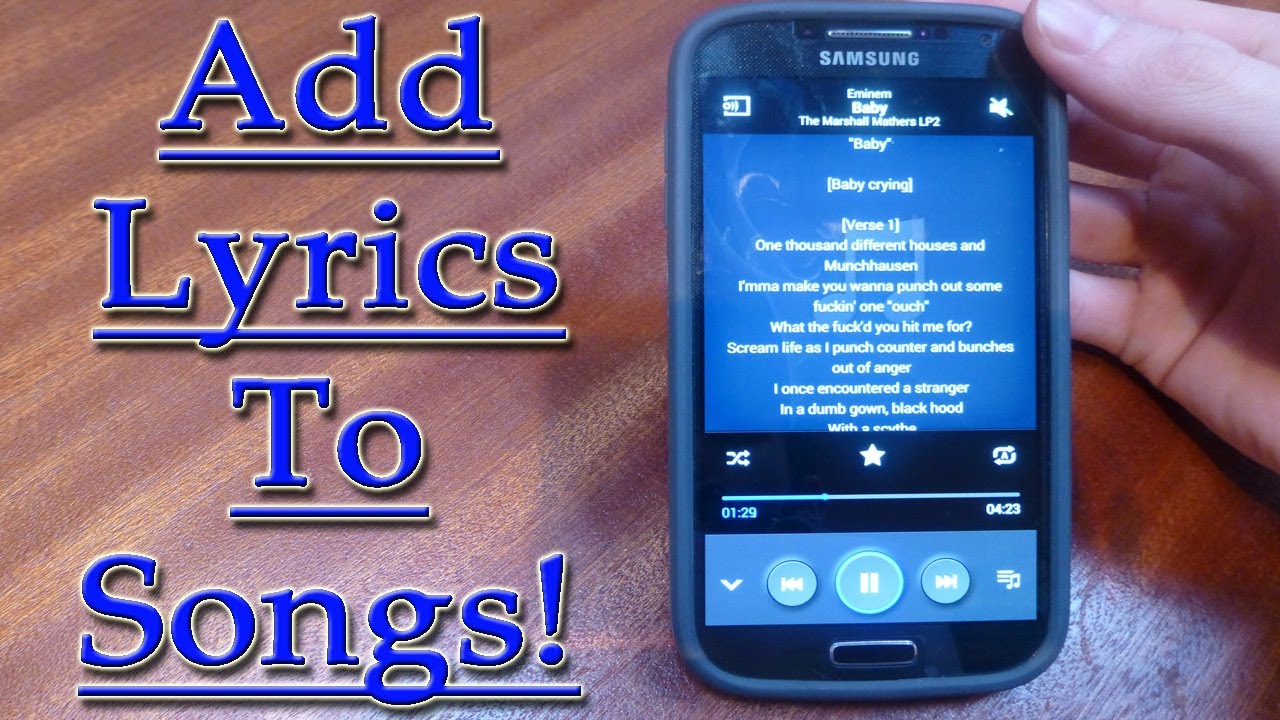
How To Play Songs With Lyrics In Android (No-Root) 2019


How To Play Songs With Lyrics In Android (No-Root) 2019


Image result for Play Songs With Lyrics In Android


#1 Musixmatch


How To Play Songs With Lyrics In Android (No-Root)


This was the app that I liked most and tried at very first and got the amazing results more than my expectation. This is the huge store where the lyrics for almost any song can be found and hence you can play the songs along with the lyrics. This is a widely popular app and it does not even require the root access on the Android. If you are here looking for the way to run the songs along with the lyrics then this app can be the solution to all your tasks.

For now, check:Free iTunes/iPhone Backup Extractor for iPhone, iPadJihosoft iTunes Backup Extractor Free is a powerful tool to recover and extract important data from iPhone, iPad & iPod touch backup on Windows or Mac.


#2 MusicMax Lyrics Player


How To Play Songs With Lyrics In Android (No-Root)
This is the second best choice for those willing to play the Music songs along with the lyrics. This app detects the song you are running and thus provides the lyrics for the song just instantly out of the huge database. Almost every new song lyrics is updated soon on this app. This app is available for free of cost so just go and download it right now.

#3 AirLyrics


How To Play Songs With Lyrics In Android (No-Root)


This is a wonderful Add-on to the existing music players on the Android where it helps to provide the lyrics for the songs being played. The best part of this app is that the lyrics can also be translated and thus the different language songs can be easily learned. This app was recommended by one of my friends and this is an amazing app and you will surely love this app.


#4 Lyrics Mania


How To Play Songs With Lyrics In Android (No-Root)


This app got some amazing ratings to form the users and also one of my friends suggested this app to me as he was using this for very long. Compatible with both Youtube as well as Spotify, this app can be used to search for the lyrics of almost every song and even play up the songs. This is the ultimate place for those who are looking for the lyrics app on Android. So must give this app a try.


Also Read: How to Increase Audio Quality on Any Android Device


Sponsor Ads:

Jihosoft Android Data Recovery: the best Android Data Recovery software for Windows and Mac to recover deleted contacts, messages, photos, videos, WhatsApp and etc from Android devices.


Finally, after reading this article, you have got to know about the method through which you can play the songs with lyrics in Android and this method does not require any root. All of the information given here is written in such a way that anyone can get about the important aspects easily. Hope that you might be liking the information given in this article if it is so then please try to share it with others too. Also, share your suggestions and opinions regarding this content by using the comments section below. Your indulgence in our work is really grateful to us, keep supporting us and we would be always coming up with all new amazing information. At last but nevertheless, thanks for reading this post! And if you have any topic in the mind that you want us to write then please share with us so that we can work on it for you and you can explore the things better with us.

Friday, 17 August 2018

5 Best Home Workout Apps For Android 2019


Here are the 5 Best Home Workout Apps For Android


Lose weight in 30 days.


Home Workout- no equipment.


7 minutes workout.


Lose belly fat in 30 days.


30-day fitness challenge.
1. Lose weight in 30 Days

30-day workout challenge is one of the best apps for your workout routine. It’s simple yet effective. The best thing about the app is that it helps you take baby steps and progresses as you progress through. Lose weight in 30 days is safe and scientific.

Not only does it have systematic workouts but it also provides you with diet plans at your disposal. You can synchronize your workout and calorie data with google fit. The workout plan contains arm, butt. abdominal and leg workout to help you lose your extra weight and shape your body. There is no equipment needed.


Main Features


Track weight loss progress.


Track burned calories.


Low-calorie diet plans.


Gradually increases exercise intensely.

Download
2. Home Workout- No equipment

This is the top health and fitness app that is designed for fast bodybuilding at home with no pieces of equipment needed. It provides daily workout routines for all your main muscle groups. In just a few minutes a day, you can build muscle and keep fitness at home. The warm-up and stretching routines are designed to make sure you exercise in a scientific way. With animations and video guidance for each exercise.

Stick with the workouts and you will notice a change in your body in just a few smart weeks.
Main Features


Warm up and stretching routines.


The chart tracks your weight.


Detailed video and animations guide.

Download
3. 7 minutes workout

7 minutes workout is scientifically proven to assist weight loss and improves cardiovascular functions. Best of 2016 app, Top trending app and best self-help app selected by google play. It supports google fit. There are over 3 million users out there. If you want to lose weight get a flat tummy and be fit with videos that show you how to perform each exercise. It’s best for regular people like you and me.

Its maximum results with minimal investment.


Main FeaturesYou may also like:
Gihosoft Total Video Converter is a professional all-in-one video tool that enables you to convert videos and audios into various different formats. You can also download videos from YouTube or other online video sharing sites and convert them easily. Plus, you’re able to personalize your videos with its inbuilt editor, such as, trimming, cropping, applying video effects, adding watermark, subtitles, and more. If you need a powerful and professional desktop video converter program, just download Total Video Converter and follow the step-by-step guide here to have a try.


Voice guidance.


Adjustable circuit time.


Notification for daily workout.

Download
4. Lose belly fat in 30 days

Did you always wish for those abs that you see on your favorite celebrity or just have a flat tummy in general without having to worry about those love handles? Then this is the app just right for you. Sweat just 10 minutes a day and you can have your wish granted. Try the aerobic exercises in this app to get rid of the annoying belly fat.

The quick and easy workout, maximize fat burning and is suitable for both beginners and pro.You may also like:online youtube downloader


Main Features


Beginner friendly.


Track your progress.


Abs workout exercise with 3 difficulty levels.

Download
5. 30-day fitness challenge

Fitness challenge is the app designed by a professional fitness coach and is proven to help improve fitness and health. By fully considering workout rules,30 day fit challenge workout increases intensity step by step so you can easily stick to daily routines. Just take a few minutes out of your day and hurray, welcome your new and improved body in just 30 days.


Main Features


30-day abs challenge.


30-day butt challenge.


You can share your progress with your friends online.

Download

Take small steps and in no time you would be progressing on your way to attain the body that you always wished for. If we have missed any app then comment it down in the comment section below.You may also like:online youtube downloader


Wednesday, 15 August 2018

Top 10 Best Ringtone Apps for iPhone & App Alternative 2019


Top 10 Best Ringtone Apps for iPhone

If questions such as “Is there a ringtone app for iPhone?” or “What is the best ringtone app for iPhone 7?” have lingered in your mind, then look no further because the answers lie in here. There are number of iPhone ringtone apps available in the market and below are the best ten:
#1: Best Ringtone Maker & Ringtones


This is the best ringtone app for iPhone. It makes available a vast array of alert tones and ringtones for free. The best part is that you can make your own customized ringtone from your favorite music. These are placed in quick access categories. Other fun features include ability to trim music tracks and view waveform of the music.
#2: Comedy ringtones


There is no better way to let everyone know you appreciate comedy. This app has a huge collection of funny ringtones suitable for all family members. Some of the parody tunes you can get here include Angry Birds, Muppets, Star Wars Rogue One, Super Heroes, etc.
#3: Zedge


Zedge ringtone app is another cool app for iPhone ringtone selection. Here you will find fun sound effects for your choice ringtone. In addition, the free and easy downloaded ringtones are of high quality. It is available in a number of languages including French, Japanese and German.
#4: MP3 Cutter and Ringtone Maker


Just as its name suggests, you can cut the best part of your favorite song to use as your ringtone. Live recording and editing is also possible with this app. This app is absolutely free.
#5: Ringtone Converter


Ringtone converter is one easy to use app. The best part is that it is free and devoid of those annoying ads. So to give your phone a personality, you can use this app to create HD long and short ringtones from your iTunes library.If you can’t sync with iTunes and want to rescue data from a disable iPhone, you could try Gihosoft iPhone Data Recovery. Also feel free to ask questions on the iDevice is disabled error in the comments section below.

You may also like:


How to Rescue iPhone Photos and Videos When Stuck in Recovery Mode


How to Get iMessage on Windows PC


4 Easy Ways to Transfer Photos from iPhone to Computer


#6: Audiko ringtones


With many positive reviews, this app has made a name for itself. It offers unlimited ringtones and alert tones all in HD quality. It is also free.
#7: Mobile9 deco


Mobile9 deco is another best iPhone ringtone app. The best part of Mobile9 deco app is that it not only provides ringtones for your iPhone but also wallpapers as well. A number of users have reported smooth usage. It is compatible with iPad, iPhone and iPod touch.
#8: Scary Ringtones +


For horror themed ringtone or alert tone, Scary Ringtones + is your best bet. You can set a ringtone for each contact as well as set as default. The sound effects are also pretty amazing or scary!
#9: Ringtones for iPhone! (music)


This app has unlimited free tones choices. You can even choose your friends or family’s voice as your ringtone. How cool is that. Ringtones for iPhone Has many excellent ratings and reviews.
#10: Ringtone DJ


Saving the best for last: Ringtone DJ. The reviews are very positive and to add cherry at the top it was the best Best Ringtone App Category Winner of Best App Ever 2011 Award. With Ringtone DJ, you can customize your alert and ringtones with professional DJ sound effects.

Jihosoft Giveaway Alert:
iPhone Backup Extractor - Extract Data from iPhone Backup
The best iPhone Backup Extractor software to extract photos, text messages, contacts, voice memos, note, WhatsApp, Viber and etc from iPhone/iPad backup.
Must Read:Jihosoft iTunes Backup Unlocker
Jihosoft Android Data Recovery: the best Android Data Recovery software for Windows and Mac to recover deleted contacts, messages, photos, videos, WhatsApp and etc from Android devices.

Google Announces Nest Wifi Router with Smart Speaker, Nest Mini, Affordable Pixelbook Go

Google Wifi was one of the first routers to offer mesh networking for homes. The company has launched a new Nest Wifi which comes with an in...